
Large Scale Simulations with USD in Houdini Solaris
A study on combining large scale simulations with USD in Houdini Solaris.
Project Outline
In this practice-led project I will explore how Pixar’s USD can be used in a Multi-Layer FX shot. I will specifically be focusing on:
-
Understanding FX in a USD pipeline context.
-
Combining different kinds of FX together in one shot.
This exploration was done entirely in Houdini due to its compatibility with USD. However, the concepts in this study can be applied to other softwares.
Context
USD is beginning to become more popular in the Animation / VFX industry.
However, it is confusing to use and there is not a lot of information about how to go about doing a shot pipeline.
Studios have also invented their own ways of using USD in production; some are 100% USD based, some are 50/50, some don’t use USD at all.
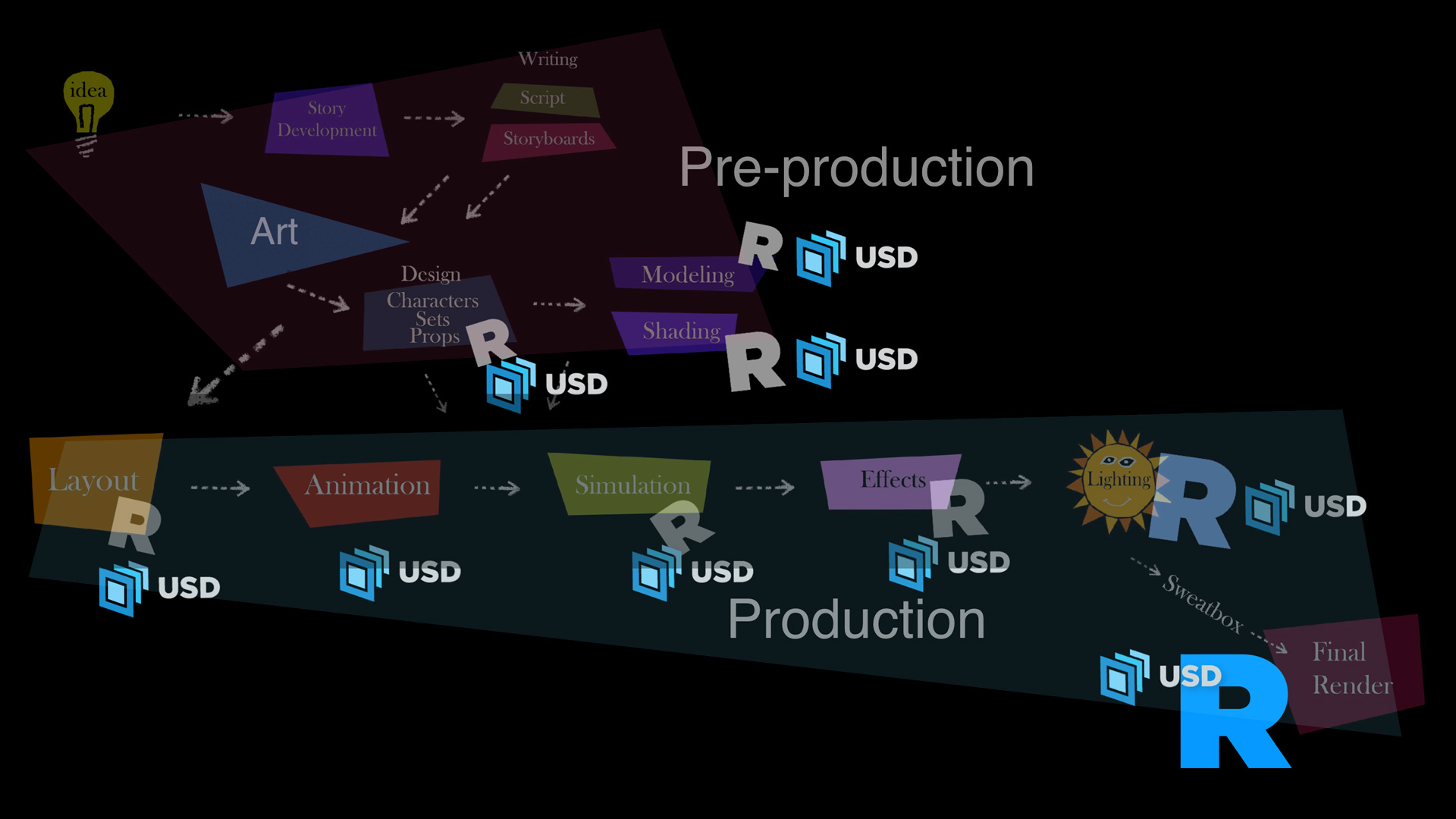
Pixar’s USD Pipeline (Full USD)
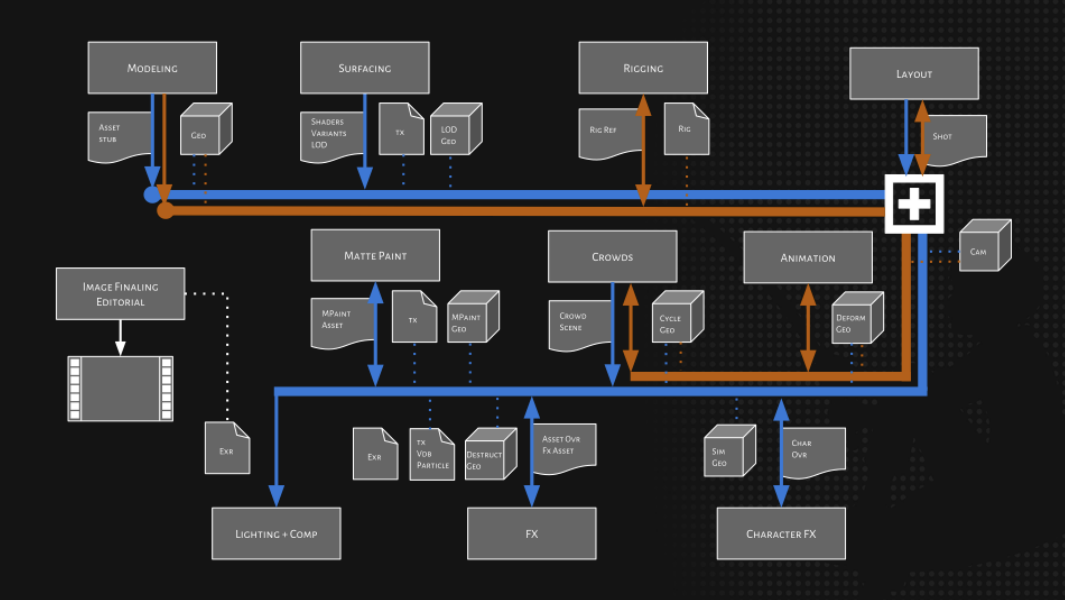
Dreamwork’s USD Pipeline (mixed USD)
This project looks to explore how to create a full USD FX shot in Houdini Solaris. It will answer:
-
How does USD work in a shot context?
-
How can I effectively bring my RBD, Vellum, and SOP simulations into USD?
-
What’s the most optimal way to cache fluids in USD, and what are procedurals?
-
How can I include Volume simulations in my USD file?
What do I do next?
01 USD Layering
How does USD work in a shot context?
I began by looking at how USD stages are composed. The two biggest takeaways I got were:
-
USD objects are called “prims”
-
USD files can have “layers”
-
USD is non-destructive
-
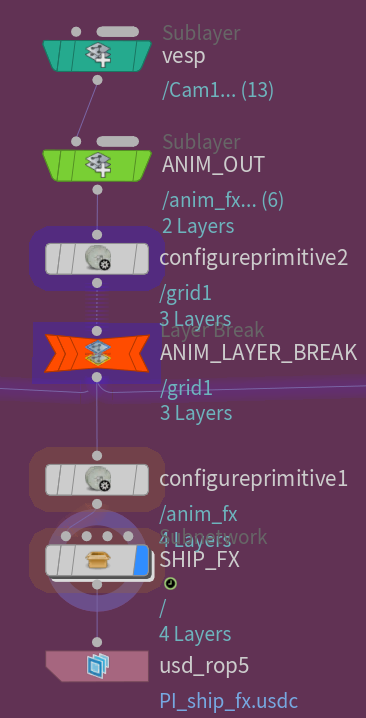
Referencing, Flattening, & Breaking
I then took the Vesperion Dragon alembic animation and re-exported a USD file alongside some animated FX shapes.
Sublayers or Asset References reference other .usd files. Flattening is when all the references are “resolved” and baked into 1 file. This destroys references but means that all your data is stored in 1 place.
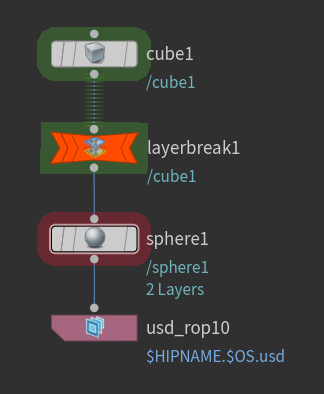
Anything above a layer break doesn’t get included in a USD export.
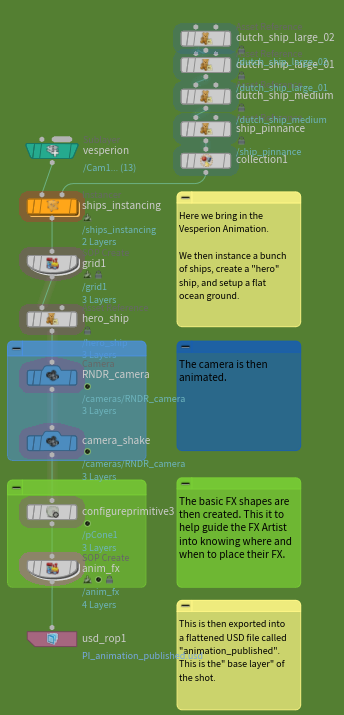
The animation layer is about 11.5GB
The dragon animation is by creaturestation.com | The boat assets are from polyhaven.com
02 RBD, Vellum, & SOPs
How can I effectively bring my RBD, Vellum, and SOP simulations into USD?
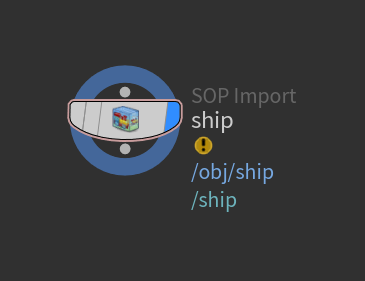
I found that Vellum and small SOP simulations could be directly converted into USD by using a SOP Import node and then a USD Render ROP, or using a SOP USD Export node.
SOP Import
Directory convert the data into USD. This was extremely slow and simulation cache sizes were massive.
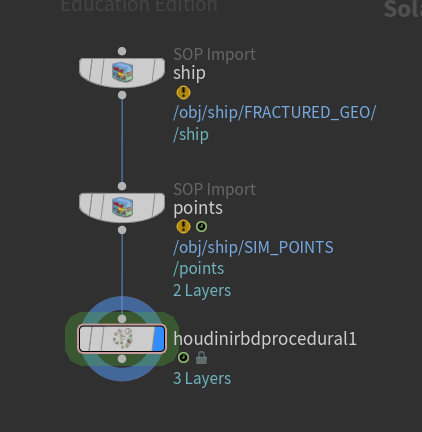
Houdini RBD Procedural
Use Houdini’s procedural to display destruction at render time. Confusing to use but a viable option. Also had to be previewed with a Houdini preview procedural.
Transform by SOP Points (pointxform)
Transform primitives by points based on name match. I found this to be the quickest and easiest to use out of the 3.
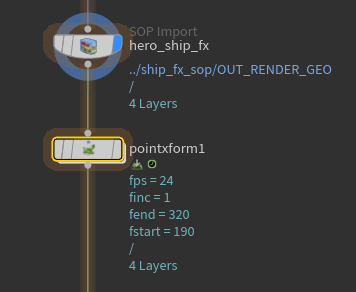
The RBD/vellum FX layer is about 860MB
03 Fluids & Procedurals
What’s the most optimal way to cache fluids in USD, and what are procedurals?
I found that oceans in USD are best approached with using procedurals. The Houdini Ocean Procedural takes in a thin surface mesh and an ocean spectrum and then dices and displaces it at render time. It’s much faster (and smaller in cache size) than trying to dice your mesh for each frame.
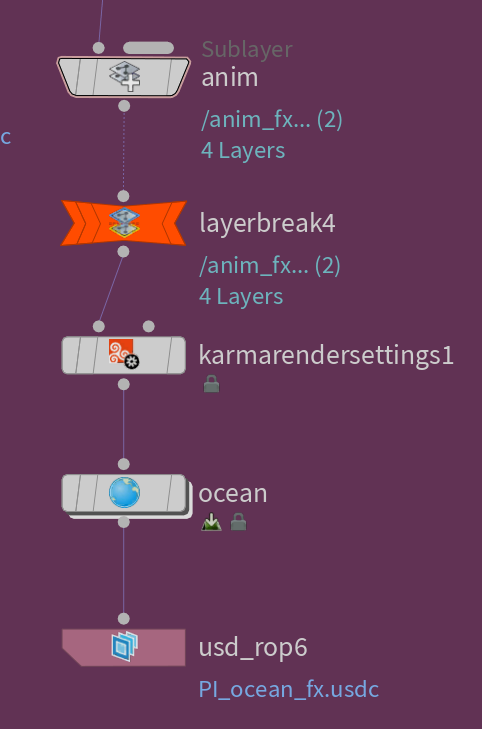
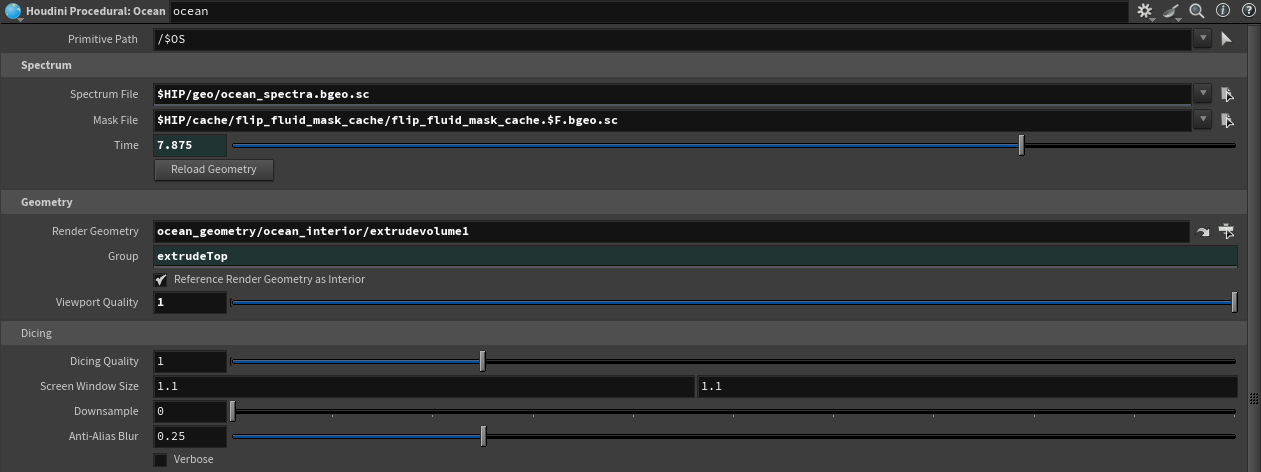
The Ocean FX layer is about 11GB
As shown in the playblast, the ocean surface doesn’t displace. This is the advantage of a procedural: faster playback.
04 Volumes
How can I include Volume simulations in my USD file?
I found that the best technique for using Volumes in USD is to reference .VDB files. This is because .VDBs can be externally referenced, which makes updating USD files a lot easier. One issue I came across was that .VDBs don’t like to be “empty”, so I had to disable the VDB’s visibility before I shows because otherwise It would appear.
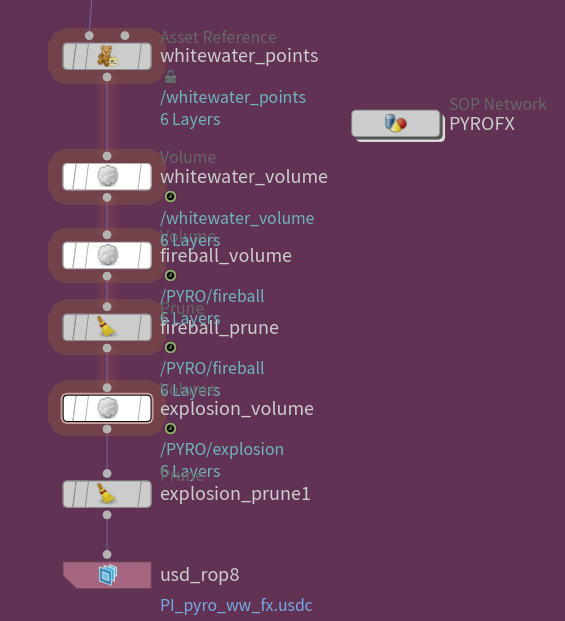
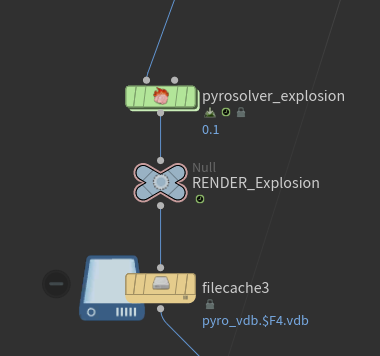
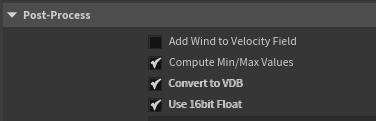
The Pyro/VDB layer is about 24GB
05 Final Touches
What do I do next?
Similar to my FX layers, I created a lighting layer. The advantage to using a USD layer system was I could disable the FX layer to quickly preview my lighting and materials. I could then combine all the layers together and render them out. This could be done by creating a master file that references all the layers, or I could flatten the whole project into 1 USD file (and folder with external assets)
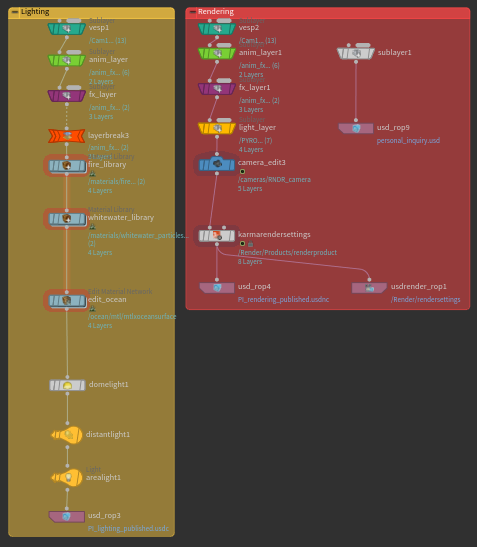
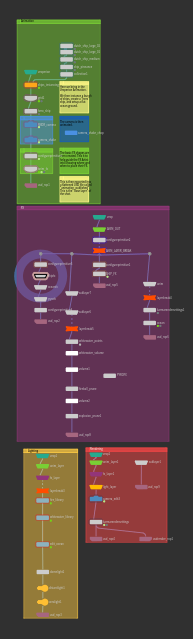
The shot in its entirety is about 54GB
Takeaways
-
USD scenes can be overridden and edited non-destructively.
-
SOP Imports are good for most cases, large scale sims work best with “Transform by Points”.
-
USD Procedurals are extremely useful for saving time and memory.
-
VDB’s break when “empty” and need to be toggled.
-
Projects can be “packaged” which is optimal for render-farm rendering.
This article was written by Christopher Hosken on May 7th, 2025